
Update your church's contact info
Updated 2026-09-22
Your address, phone number, and email live in one place and show up everywhere your site displays contact info — the footer, your Visit page, and anywhere else visitors look for how to reach you. Update it once here and every one of those spots stays in sync automatically.
Open the Contact & Location card
- In the dashboard sidebar, click Settings.
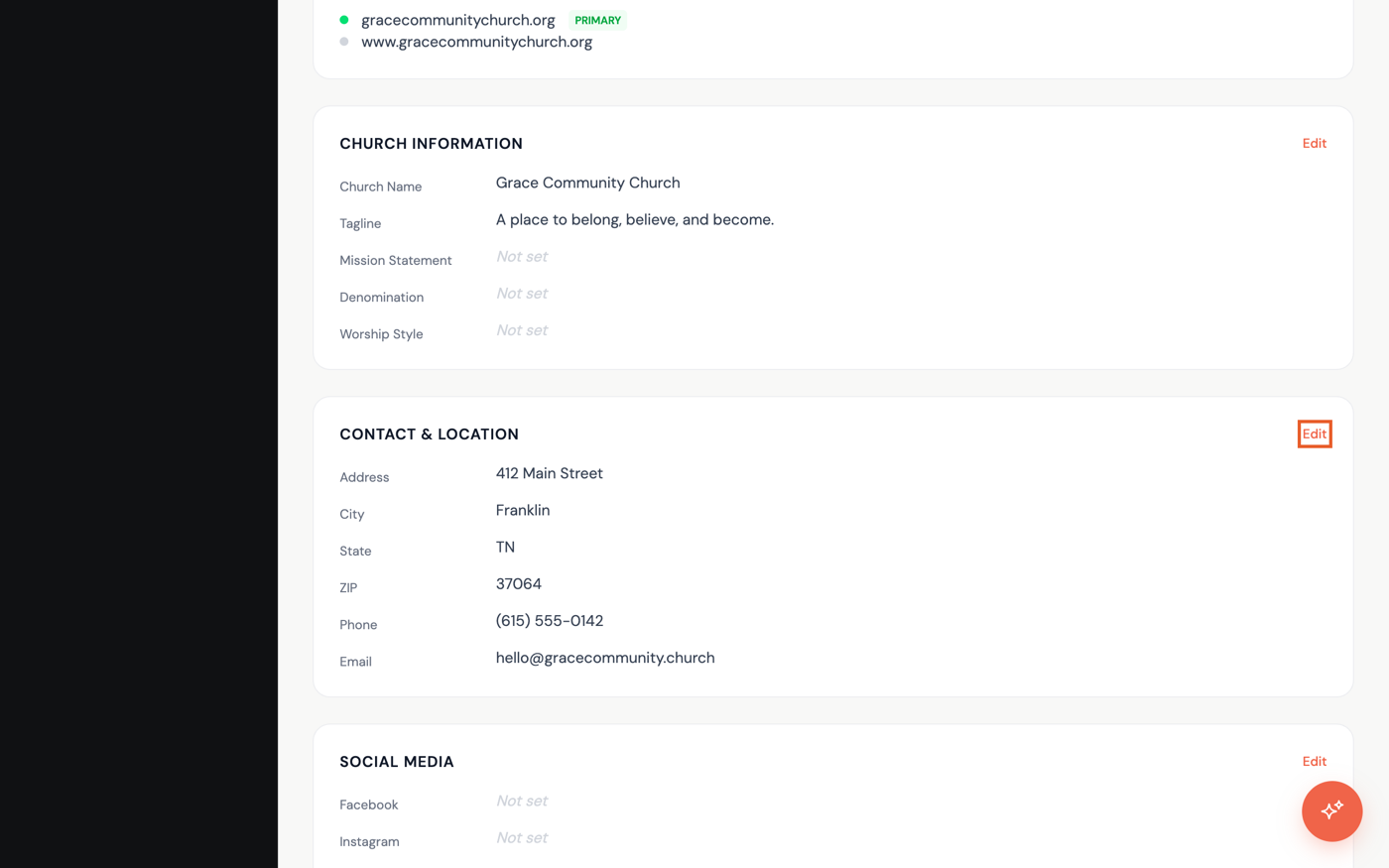
- Scroll down to the Contact & Location card, below Church Information, and click Edit in its top-right corner.
Update your info
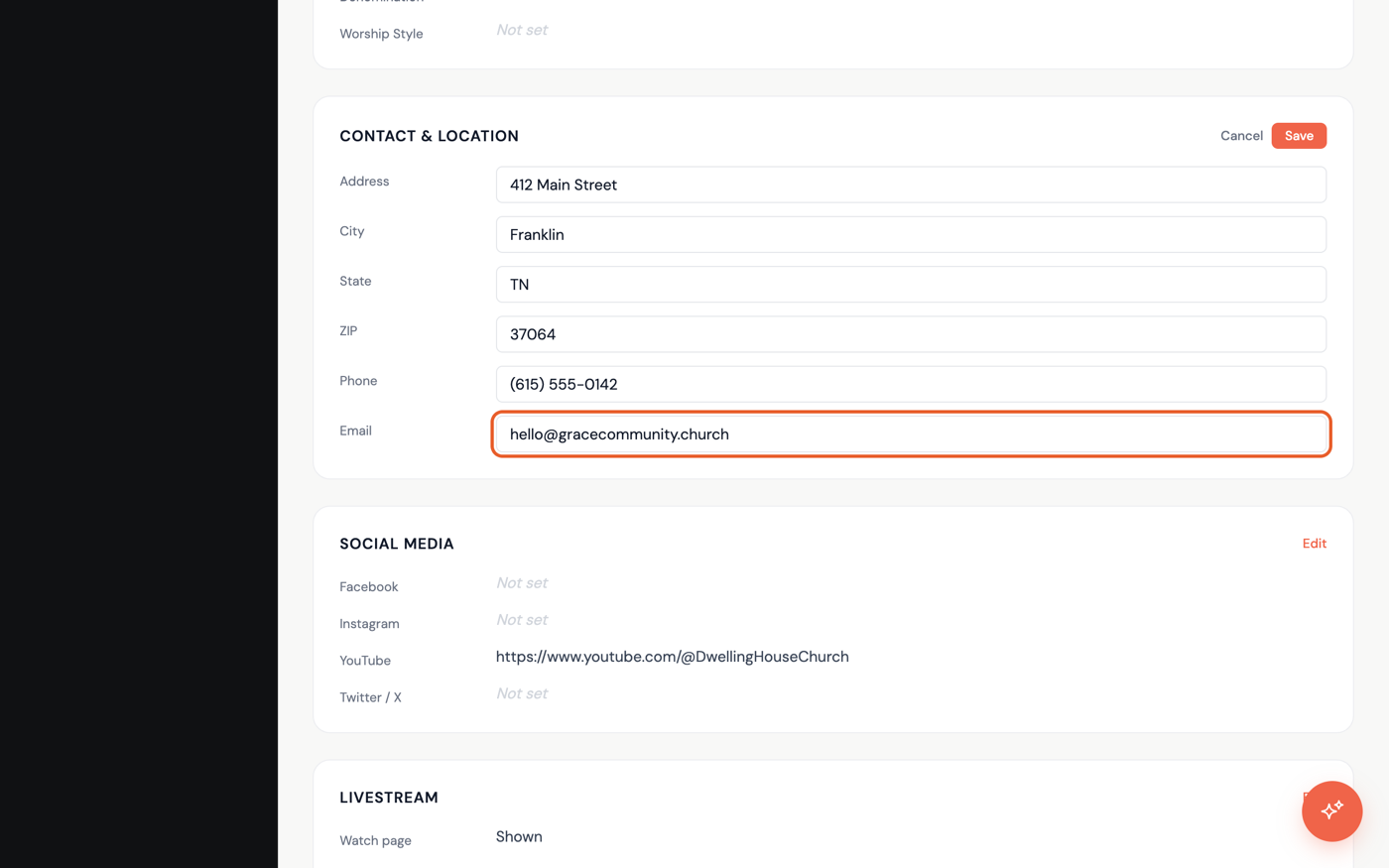
- Update any of the fields — Address, City, State, ZIP, Phone, and Email.
- When everything looks right, click Save. Click Cancel instead if you want to back out without changing anything.
Once saved, refresh your live site to see the new info in your footer and on your Visit page.