
Add an event
Updated 2026-09-22
Add anything on your calendar — from a Sunday potluck to a week-long VBS — with its own date, time, and details.
Open the event form
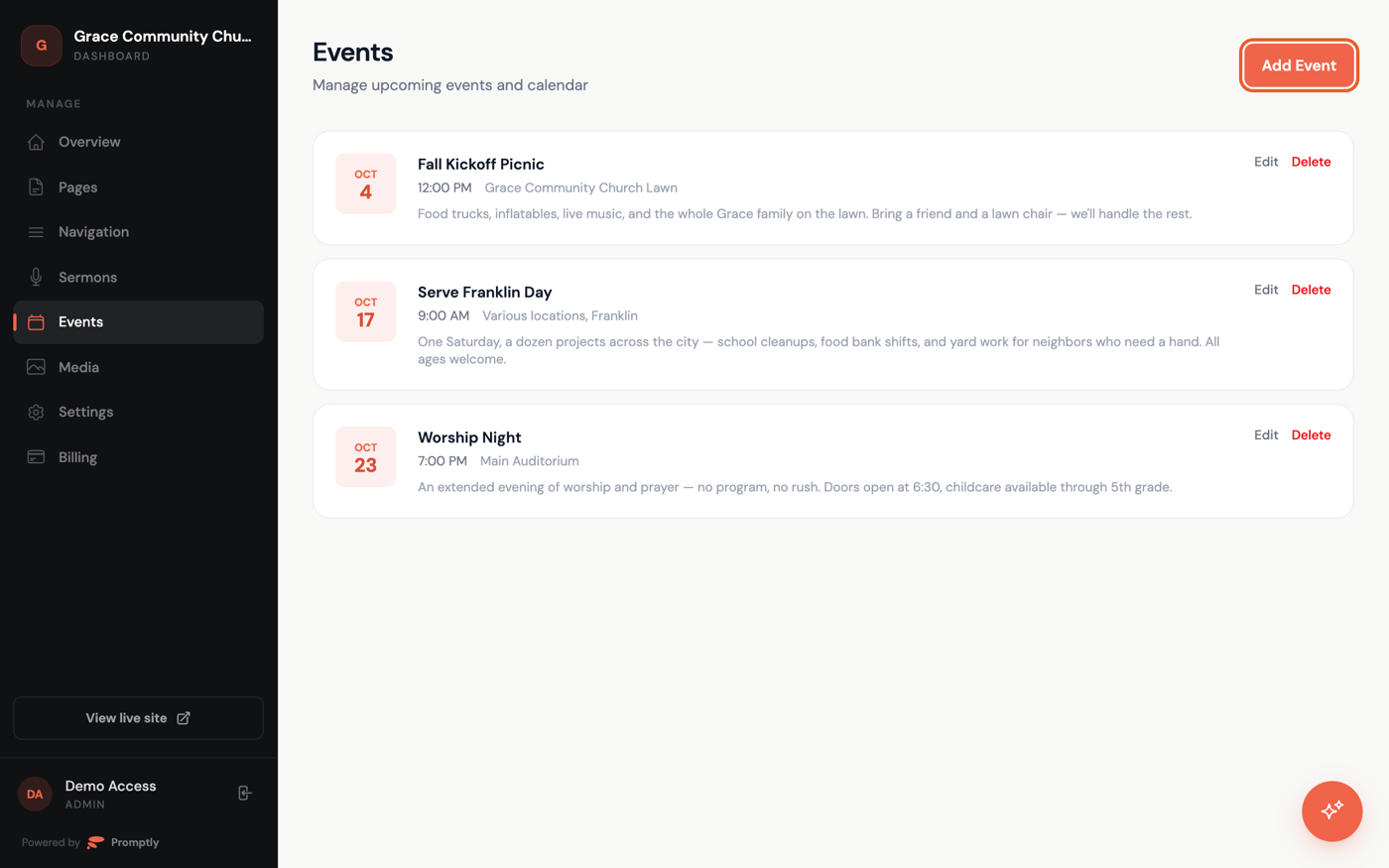
- In the dashboard sidebar, click Events, then click Add Event in the top-right corner.
Fill in the details
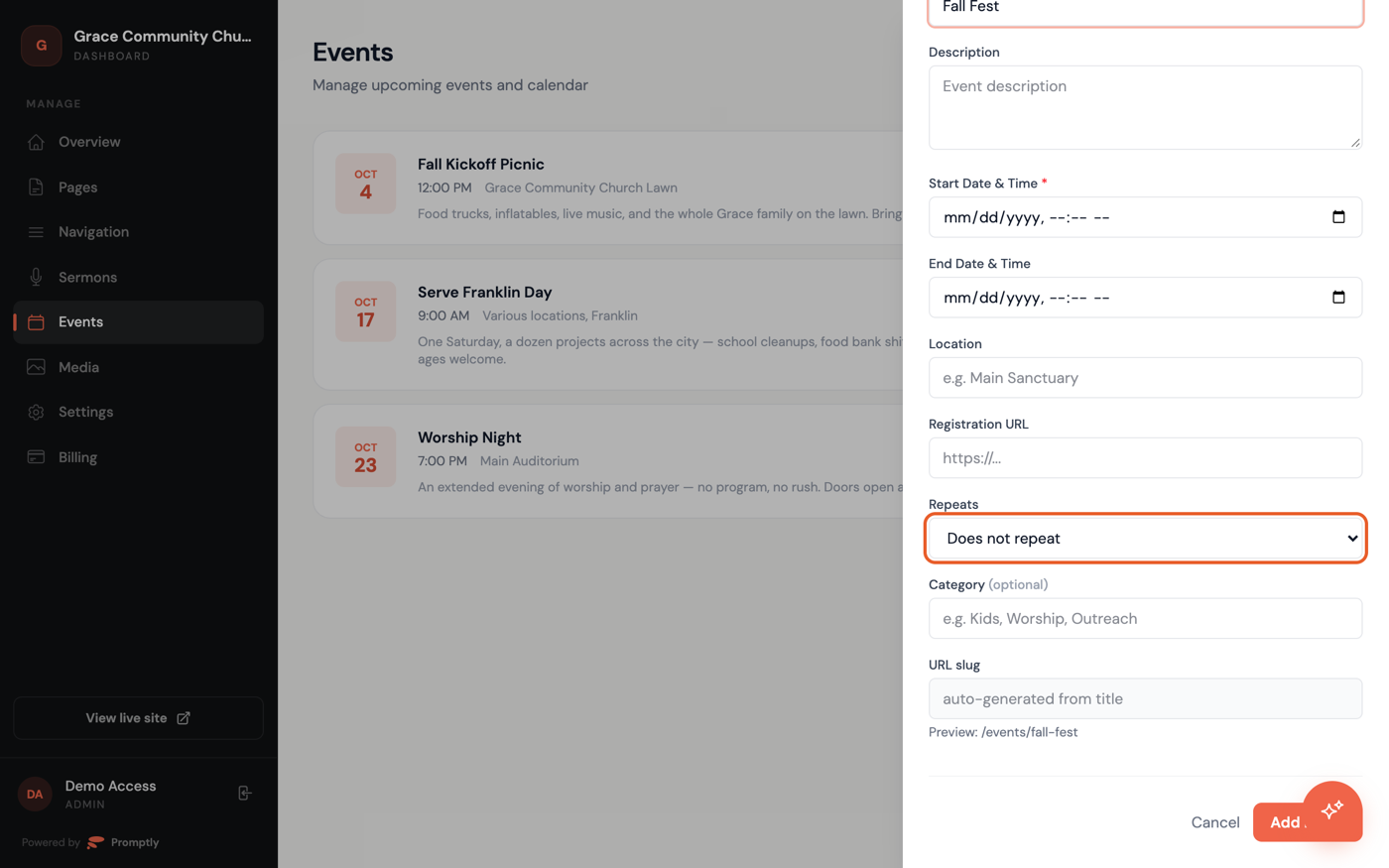
- Enter a Title and a Start Date & Time — these are the only two required fields.
- Add a Description, End Date & Time, Location, and Registration URL if visitors need to sign up.
- Set Repeats if the event happens on a schedule — see Recurring events.
- Add a Category (like "Kids" or "Outreach") to group it with similar events, and check the URL slug preview below.
- Click Add Event.
Your event appears on your site immediately — there's no separate publish step. To change any of it later, see Edit or delete an event.