
Your free Promptly address
Updated 2026-11-06
Every church on Promptly gets a free web address the moment their site is created. It looks like your-church-name.promptly.church, and it's a real, working address you can share right away — no setup needed.
What it's for
- Sharing your site today. Put it in an email, a bulletin, or a text to your team while you're still getting things ready.
- Using Promptly during your trial. Your free address works the whole time you're trialing. You can also connect your own domain during your trial — see Connect your own domain.
- A safety net. Even after you connect your own domain, nobody who has your old address gets a dead link.
What happens to your old preview link
Before you had a free address, your site lived at a longer preview link. That link still works — it forwards visitors to your free address automatically, so anything you've already shared keeps working.
When you connect your own domain
Once your own domain (like gracechurch.org) is live, your free address and your old preview link both forward to it automatically. Your church's own domain becomes the one address everyone sees.
Where to find your address
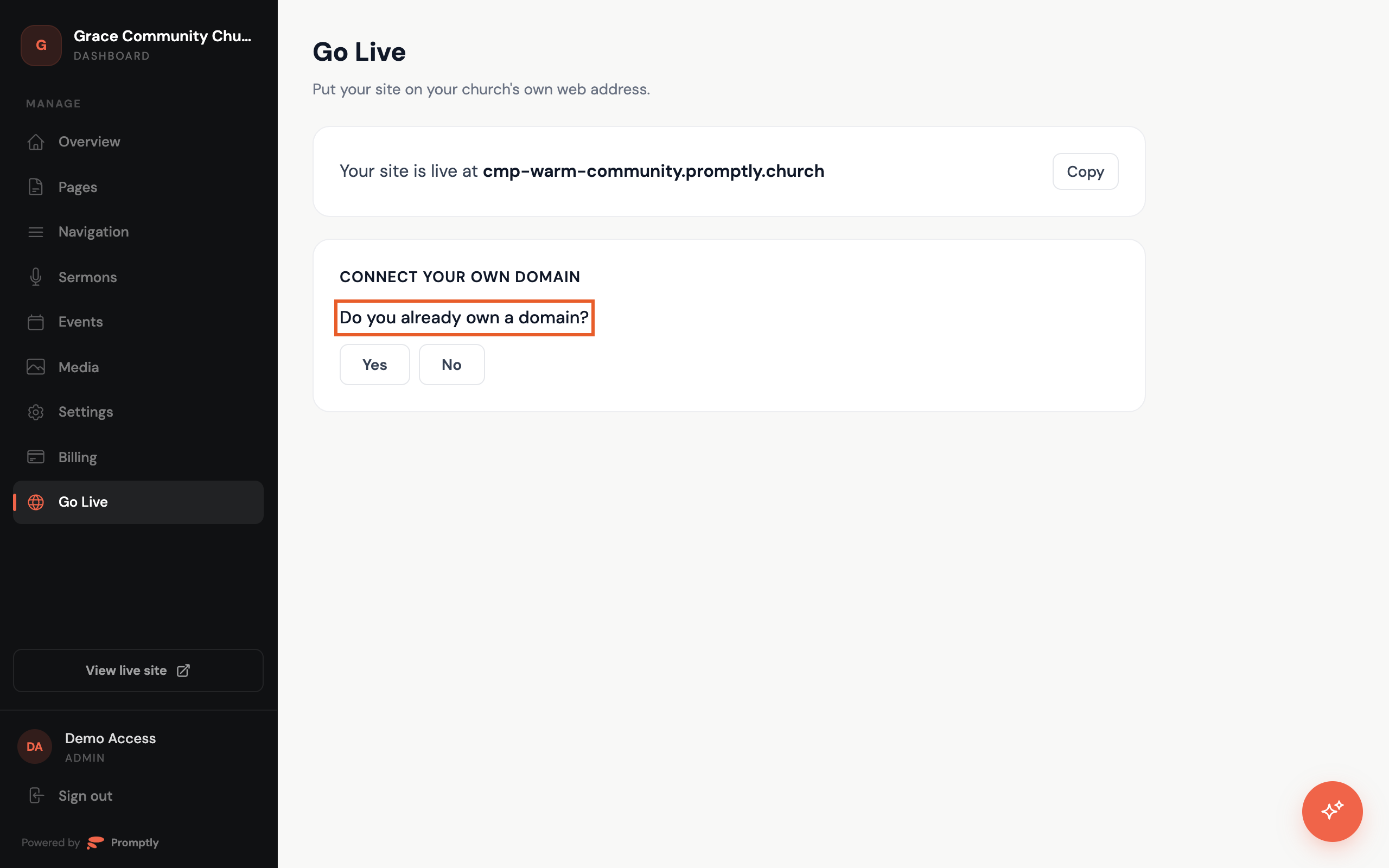
- On the Go Live page in your dashboard sidebar. It's the first thing you'll see: "Your site is live at …", with a Copy button beside it.
- On the Overview page, in the "Ready to go live?" card. This card goes away once your own domain is live.
When you're ready for a domain of your own, head to Connect your own domain. If you don't have one yet, Buying a domain walks you through it.